
Convert YAML to JSON
Data standardization is the process of transforming data values that refer to the same thing, but are recorded in different forms, into a single agreed form, so that the values can be compared, grouped, searched, and counted as the same thing. This page works the process through on one small table, row by row.
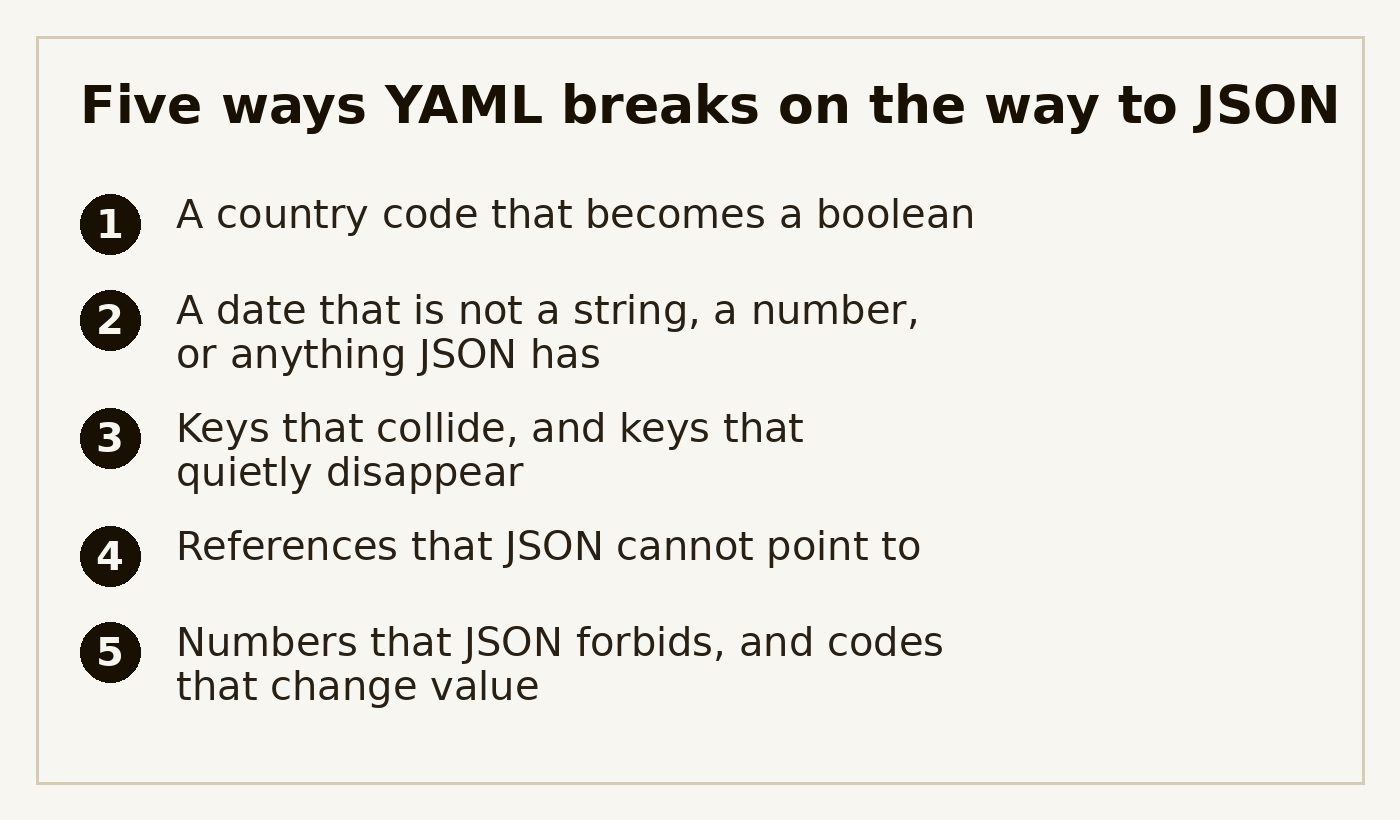
Most YAML to JSON conversions look easy because most YAML files are already close to JSON: string keys, nested mappings, lists, and a handful of plain numbers and booleans. The conversions that go wrong are rarely obvious: the file parses, the output looks plausible, and the damage is a changed type or a lost key. This page therefore starts with failure, not with a happy path. Five short inputs follow, each small enough to check by eye, and each breaks a naive converter — one that parses YAML with whatever defaults its parser ships and writes JSON without asking what changed in between — in a different way. One larger file is then converted end to end, re-testing every fix, and the closing tool notes are judged only on these failure cases.

Failure one: a country code that becomes a boolean
country: NO
capitalised_answer: Yes
heating: on
enabled: true
A reader sees a country code, two everyday words, and one boolean. Converted with PyYAML, a widely used Python parser whose documentation describes it as a YAML 1.1 parser and emitter, the result is this:
{"country": false, "capitalised_answer": true, "heating": true, "enabled": true}
Norway has become false. The diagnosis is plain scalar resolution. In YAML, an unquoted scalar is not automatically a string; the parser matches it against its schema's patterns and assigns a type. Under YAML 1.1-style resolution, which PyYAML follows, words such as yes, no, on and off, in several capitalisations, resolve as booleans; the PyYAML documentation demonstrates this, loading on and off as True and False. Under the core schema of the YAML 1.2.2 specification, the boolean pattern is much narrower: only true, True, TRUE, false, False and FALSE resolve as booleans, and everything else falls through to string. So the same four lines, read by a parser applying the 1.2 core schema, keep NO, Yes and on as strings and convert only true. Neither parser is malfunctioning; they apply different schemas, and the file never said which one it meant. The fix, when the values are meant to be text, is to make the text explicit in the source: quote the scalar, as in country: "NO", or give it an explicit string tag, !!str NO.
Failure two: a date that is not a string, a number, or anything JSON has
released: 2024-03-15
starts_at: 2024-03-15T10:30:00Z
label: "2024-03-15"
The first two values look like text. In PyYAML they are not. Its documented type table maps the !!timestamp tag to Python datetime objects, and its implicit resolver recognises date-shaped plain scalars as timestamps. The loaded values are a date object and a datetime object, while the quoted third line stays a string. JSON, as defined by RFC 8259, has no date type at all: a JSON value is an object, an array, a number, a string, or one of the literals true, false and null. A converter that hands the loaded objects to a strict JSON encoder therefore has nothing legal to write; in Python the standard encoder raises a type error reporting that a date object is not JSON serializable, and the conversion stops. Parsers differ here, and the difference must be stated rather than smoothed over: timestamp resolution is a parser and schema behaviour, not something the YAML 1.2 core schema requires, since the core schema defines no timestamp type. The fix is a decision made before conversion: either the value is text, in which case quote it in the YAML so every parser delivers a string, or it is a genuine date, in which case the converter — not chance — formats it as a JSON string in an agreed format.
Failure three: keys that collide, and keys that quietly disappear
1: first choice
"1": second choice
name: draft
name: final
This file contains two problems, both in the keys. First, the keys 1 and "1" are different keys in YAML: the plain scalar 1 resolves as an integer under both the 1.1 and the 1.2 core rules, while the quoted "1" is a string. A Python mapping holds both without complaint. JSON objects, however, allow only string names, so both keys are written as the name "1", and the output contains the same name twice:
{"1": "first choice", "1": "second choice", "name": "final"}
RFC 8259 says the names within a JSON object should be unique, and warns that when they are not, receiving behaviour is unpredictable: some implementations keep only the last pair, some report an error, and some report all pairs. A converter that produces this output has produced a file whose meaning depends on who reads it. Second, notice what happened to name. The YAML input defined it twice, and the output holds only final. The YAML specification treats mapping keys as required to be unique — its node comparison section defines when two keys are equal, and its loading failure points list non-unique mapping keys among the ways loading can fail. Yet PyYAML, in its ordinary safe loading mode, does not flag this input; it keeps the last value and discards draft silently. Other parsers and stricter settings may reject duplicate keys instead. The fix is to audit keys before conversion, not after: list the keys after parsing, check for exact duplicates, then convert every key to its JSON string form and check again for collisions created by that conversion, because integer, boolean, float and string keys that were distinct in YAML can land on the same JSON name.
Failure four: references that JSON cannot point to
defaults: &defaults
  retries: 3
  timeout: 30
job:
  <<: *defaults
  timeout: 10
copy: *defaults
YAML lets one node appear in several places. The &defaults anchor names the mapping, the *defaults alias refers back to it, and the << key merges the anchored mapping into job, where the local timeout: 10 overrides the merged timeout: 30. The specification describes anchors and aliases as a serialisation device: the first occurrence carries the anchor, later occurrences are alias nodes referring to it. JSON has no equivalent device — no references, no anchors, and no merge operation in RFC 8259; a JSON value is a self-contained tree. A converter therefore has exactly one honest option: expand. Parsed with PyYAML, which supports the merge key, the correct JSON is:
{
  "defaults": {"retries": 3, "timeout": 30},
  "job": {"retries": 3, "timeout": 10},
  "copy": {"retries": 3, "timeout": 30}
}
A naive converter breaks this in two characteristic ways. One that works line by line, without resolving aliases, emits a literal "<<" key or alias text such as "*defaults" as if they were data, producing JSON that parses and is wrong. One that expands without understanding merge order can let the merged timeout: 30 overwrite the local timeout: 10, reversing the intended precedence; in PyYAML's merge behaviour, keys written explicitly in the mapping win over merged keys. There is also a hard limit hiding behind this case: the PyYAML documentation notes that it fully supports recursive objects, where an alias refers back to a structure that contains it, and a cycle like that has no JSON representation at all, because a JSON tree cannot contain itself. The fix is to expand anchors and merges deliberately, check the expanded result against the source, and treat a self-referencing structure as a conversion error to report, not a file to approximate.
Failure five: numbers that JSON forbids, and codes that change value
ceiling: .inf
missing_value: .nan
legacy_code: 0123
modern_code: 0o17
hex_code: 0x3A
Converted with PyYAML and written with Python's JSON encoder in its default permissive mode, this becomes:
{"ceiling": Infinity, "missing_value": NaN, "legacy_code": 83, "modern_code": "0o17", "hex_code": 58}
Almost every value here is a problem of a different kind. The YAML core schema recognises .inf and .nan as floating point values, infinity and not-a-number, and the specification's example resolution table shows them resolving exactly that way. JSON's number grammar in RFC 8259 has no such values, and its only literal names are true, false and null. The tokens Infinity and NaN above are therefore not JSON at all, however comfortable the encoder that emitted them; a strict JSON parser will reject the file. The two codes show the opposite failure, a silent change driven by schema differences. Under PyYAML's YAML 1.1 resolution, 0123 is read as an octal integer and becomes 83, while 0o17 matches no 1.1 pattern and stays a string. Under the YAML 1.2 core schema the results swap: 0123 matches the ordinary decimal pattern and becomes 123, while 0o17 matches the core schema's explicit octal pattern and becomes 15. The hexadecimal 0x3A is the only stable one, resolving to 58 under both. The fix has two parts. Values that are identifiers rather than quantities — anything with a meaningful leading zero — should be quoted in the source so they travel as strings under every schema. Genuinely infinite or not-a-number values need an explicit policy chosen by the data owner, such as converting them to null or to a named string, applied visibly; what a converter must never do is emit Infinity or NaN tokens and call the result JSON.
What the five failures have in common
Only now is it safe to state the working rules, because each rule is one of the failures read backwards. First, conversion is two stages — YAML text to a data structure, then the data structure to JSON text — and almost all damage happens at the boundary between YAML's richer type system and JSON's small one. Anything YAML expresses outside JSON's set — timestamps, binary data, sets, non-string keys, references, infinity — needs a decision, not a default. Second, the schema is part of the input: whether on is a boolean, whether 0123 is 83 or 123, and whether a date becomes an object all depend on the parser's resolution rules, so a reproducible conversion names its parser and schema. Third, keys deserve their own audit, for duplicates in the source and for collisions after string conversion. Fourth, references must be expanded and cycles rejected. Fifth, the output must be validated as JSON — parsed back by a strict parser — rather than trusted because it looks like JSON.
A larger file, converted end to end
The file below is an original worked example written to contain every trap from the five failures, already repaired in the source. Values meant as text are quoted, as are the date and datetime, so they are strings by construction. There is one string key "1" and no integer twin to collide with it, and name appears once. The shared settings are written out in full wherever they are used, instead of being anchored, aliased or merged. The two unbounded values are written as null, applying the stated policy for values JSON cannot represent, and both zero-led codes are quoted as the identifiers they are.
service: billing-api
country: "NO"
status_answer: "yes"
heating_on: true
released: "2024-03-15"
starts_at: "2024-03-15T10:30:00Z"
"1": first choice
name: final
defaults:
  retries: 3
  timeout: 30
job:
  retries: 3
  timeout: 10
copy_of_defaults:
  retries: 3
  timeout: 30
ceiling: null
missing_value: null
legacy_code: "0123"
modern_code: "0o17"
hex_code: 58
ratio: 0.75
empty_note: ""
owner: null
The conversion is:
{
  "service": "billing-api",
  "country": "NO",
  "status_answer": "yes",
  "heating_on": true,
  "released": "2024-03-15",
  "starts_at": "2024-03-15T10:30:00Z",
  "1": "first choice",
  "name": "final",
  "defaults": {"retries": 3, "timeout": 30},
  "job": {"retries": 3, "timeout": 10},
  "copy_of_defaults": {"retries": 3, "timeout": 30},
  "ceiling": null,
  "missing_value": null,
  "legacy_code": "0123",
  "modern_code": "0o17",
  "hex_code": 58,
  "ratio": 0.75,
  "empty_note": "",
  "owner": null
}
Re-test it against each failure in turn. Against failure one, country is the string "NO" and status_answer is the string "yes", while heating_on, which really is a boolean, is written true in the source and arrives as JSON true; each type is now fixed by the file, not by the parser's schema. Against failure two, released and starts_at are JSON strings holding the full original text, because they were quoted in the source; no date object was ever created, so no encoder had to guess a format. Against failure three, every key is unique: the single "1" has no integer counterpart, name was defined once, and the empty string under empty_note is preserved as "" rather than collapsing into null the way an empty plain scalar would — while owner is an explicit null, so the two cases stay distinct. Against failure four, job carries timeout: 10 with retries: 3 alongside it, and copy_of_defaults repeats the shared settings in full; the JSON contains no << key and no alias text. Against failure five, ceiling and missing_value are null by an explicit policy rather than Infinity and NaN tokens, both codes kept their leading zeros as strings, and hex_code and ratio are ordinary JSON numbers.
Tool notes, judged only on the failure cases
PyYAML is the parser used for the worked outputs in this article, and its own documentation supports both its strengths and its traps. It documents yaml.safe_load as the loader that recognises only standard YAML tags and cannot construct arbitrary Python objects, the right loading mode for files from untrusted sources. The same documentation shows on and off loading as booleans and maps !!timestamp to datetime objects, which is precisely failures one and two: PyYAML is a YAML 1.1 implementation, so a pipeline built on it must quote intended strings and decide date handling explicitly, exactly as the larger example does. Its merge key support makes failure four come out right when the file is parsed rather than processed line by line, but its quiet acceptance of the duplicate name key in failure three means the key audit cannot be delegated to it.
For JavaScript, the js-yaml project's own repository describes it as a YAML 1.2 parser and serializer and documents load as the entry point for parsing a YAML document into a JavaScript object. That 1.2 basis changes the expected results on the schema-sensitive cases: failure one's file should keep NO and on as strings under core-schema resolution, and 0o17 should resolve as an octal integer where PyYAML left it a string. That is a reason to prefer it for files authored against YAML 1.2 — and equally a reason never to swap it into a pipeline tested against PyYAML without re-running the failure cases, because the outputs will legitimately differ.
The general judgement follows from the cases rather than from feature lists. Judge any YAML to JSON tool by running the five failure inputs through it: whether country codes survive as strings, whether dates emerge as strings in a format you chose, whether duplicate and colliding keys are reported instead of silently dropped or duplicated, whether anchors and merges are expanded with explicit keys winning, and whether infinity and not-a-number are rejected or converted by a stated policy instead of being emitted as invalid JSON. A tool that passes those five tests, and whose parser and schema you can name, is a tool whose output you can defend.
Working in the other direction? SmartDataAI’s free JSON to CSV converter turns JSON files back into spreadsheets, and the guide to cleaning CSV files covers the cleanup that usually has to happen before or after a conversion.
Sources
YAML Language Development Team, YAML Ain't Markup Language (YAML) version 1.2, revision 1.2.2 — consulted for the core and JSON schema tag resolution rules, boolean, integer and float patterns including .inf and .nan, mapping key uniqueness and node comparison, anchors and aliases, and loading failure points
Internet Engineering Task Force, RFC 8259, The JavaScript Object Notation (JSON) Data Interchange Format — consulted for the JSON value types, the rule that object names are strings and should be unique with unpredictable behaviour when they are not, and the number and literal grammar that excludes Infinity and NaN
PyYAML project, PyYAML Documentation — consulted for PyYAML as a YAML 1.1 parser, the safe_load loading mode and its limits, the demonstration of on and off loading as booleans, the tag table mapping !!timestamp to datetime objects, anchors and aliases, support for recursive objects, and merge behaviour as implemented by its loaders
js-yaml project, js-yaml repository README — consulted for js-yaml being a YAML 1.2 parser and serializer for JavaScript and for its documented load entry point